
Home → Blog → Restaurant Growth → How to Get Your Restaurant Found on Google: SEO Guide
How to Get Your Restaurant Found on Google: SEO Guide
Your restaurant doesn't need a huge marketing budget to get found on Google. Learn how to optimize your Google Business Profile, website, menu, reviews, local SEO, and online presence to attract customers searching for restaurants nearby.
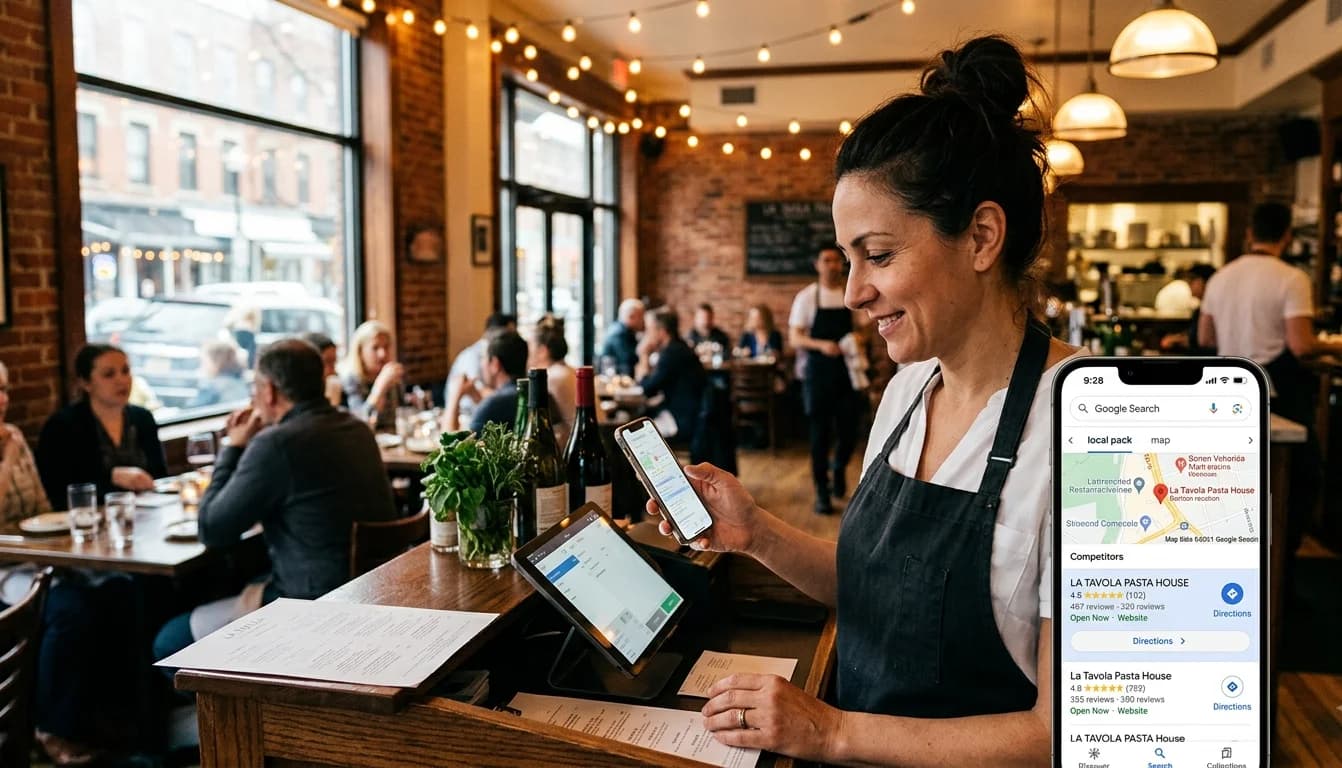
How to Get Your Restaurant Found on Google
Imagine someone is standing a few blocks away from your restaurant.
They're hungry.
They pull out their phone and search:
"Italian restaurant near me."
Or:
"best burgers near me."
Or maybe they search for something even more specific:
"family restaurant in downtown Austin."
Several restaurants appear.
Some have beautiful photos. Some have hundreds of reviews. Some show their opening hours, menu, location, phone number, and website.
And then there's your restaurant.
Maybe you're only a few minutes away.
Maybe your food is better.
Maybe your prices are better.
But the customer never finds you.
That's one of the biggest problems Google can solve for a restaurant—but only if you give Google enough useful information to understand your business.
The good news is that you don't need to be an SEO expert or spend thousands of dollars on advertising to start improving your visibility.
You need to build a strong local presence and make it easy for both Google and your customers to understand what your restaurant offers, where you are, and why someone should visit.
Here's how to do it.
First, Understand What Google Is Trying to Do
Google's job isn't simply to show the restaurant that has used the most keywords.
When someone searches for a restaurant, Google wants to show businesses that are relevant to the search and useful to that person.
For local results, Google says its main factors are relevance, distance, and prominence.
In simple terms:
Relevance: Does this restaurant match what the person is searching for?
Distance: How close is the restaurant to the person or the location they're searching around?
Prominence: How established and well-known does the business appear to be?
You can't control everything.
You can't move your restaurant closer to someone searching from another neighborhood.
You can't instantly become the most famous restaurant in your city.
But you can make your business information more complete, accurate, and useful.
And that's where restaurant SEO begins.
Step 1: Claim and Verify Your Google Business Profile
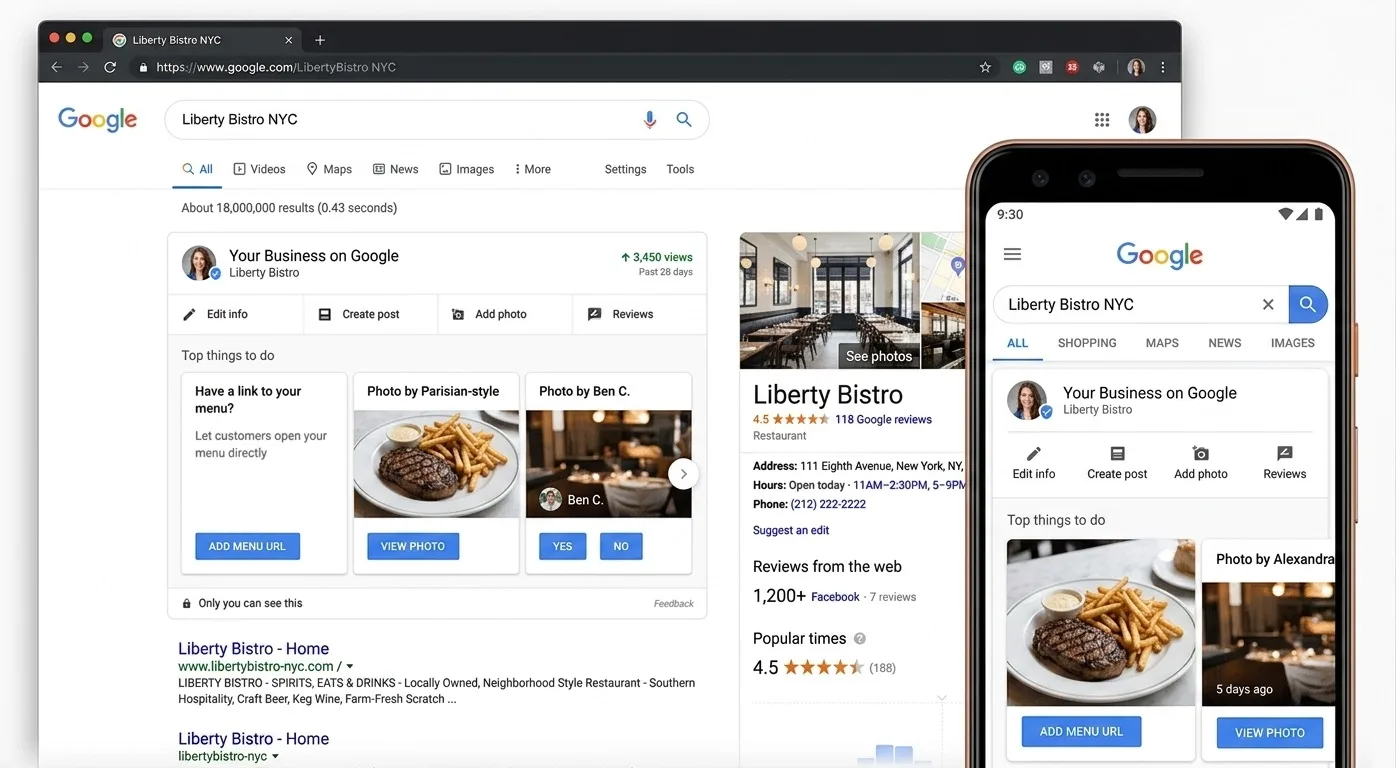
If there's one thing you should do before worrying about complicated SEO strategies, it's this.
Create or claim your Google Business Profile.
Your Business Profile controls much of the information customers can see about your restaurant on Google Search and Google Maps.
Google specifically recommends that restaurants claim and verify their profiles and keep their business information accurate and complete.
Your profile should accurately include things such as:
- Restaurant name
- Primary business category
- Address
- Phone number
- Opening hours
- Website
- Photos
- Menu information
- Relevant attributes
- Social links where available
Don't think of your Google Business Profile as merely a listing.
Think of it as your restaurant's first impression on Google.
For many potential customers, they will see your Google profile before they ever visit your website.
Step 2: Choose the Right Business Category
Your category helps Google understand what your business actually is.
If you're a pizza restaurant, don't choose a random category simply because it sounds similar.
Choose the category that most accurately represents your primary business.
Depending on the restaurant, additional categories may also be appropriate.
The important thing is accuracy.
You're not trying to convince Google that you're everything.
You're trying to clearly tell Google what you are.
A restaurant that specializes in sushi should make that clear.
A bakery should make that clear.
A steakhouse should make that clear.
The more accurately Google understands your business, the easier it is to match your restaurant with relevant searches.
Step 3: Complete Every Important Part of Your Profile
An incomplete profile sends a poor signal to potential customers.
Imagine two restaurants appear next to each other.
Restaurant A has:
- 4.6-star rating
- 850 reviews
- 35 photos
- Opening hours
- Phone number
- Website
- Menu
- Address
Restaurant B has:
- 4.2-star rating
- 17 reviews
- One old photo
- No website
- Missing hours
- No menu
Which one would you feel more comfortable visiting?
Your customers are making similar judgments.
Google also says businesses with complete and accurate information are more likely to appear in relevant local searches.
So don't leave important fields blank simply because Google allows you to.
Complete your profile properly.
Step 4: Add a Real Restaurant Website
Your Google Business Profile is extremely important.
But it shouldn't be your entire online presence.
A restaurant website gives customers somewhere to go when they want more information.
It can contain:
- Your menu
- Restaurant story
- Contact information
- Location
- Opening hours
- Food photos
- Important updates
- Calls to action
More importantly, your website gives Google another source of information about your restaurant.
Your restaurant name, location, cuisine, menu, and other relevant information can be presented clearly on your own website.
For a small restaurant, that doesn't mean hiring a developer and spending months building a complicated website.
A restaurant-focused platform can provide the basic structure without requiring technical skills.
You Can Create a Restaurant Website Without Hiring a Developer
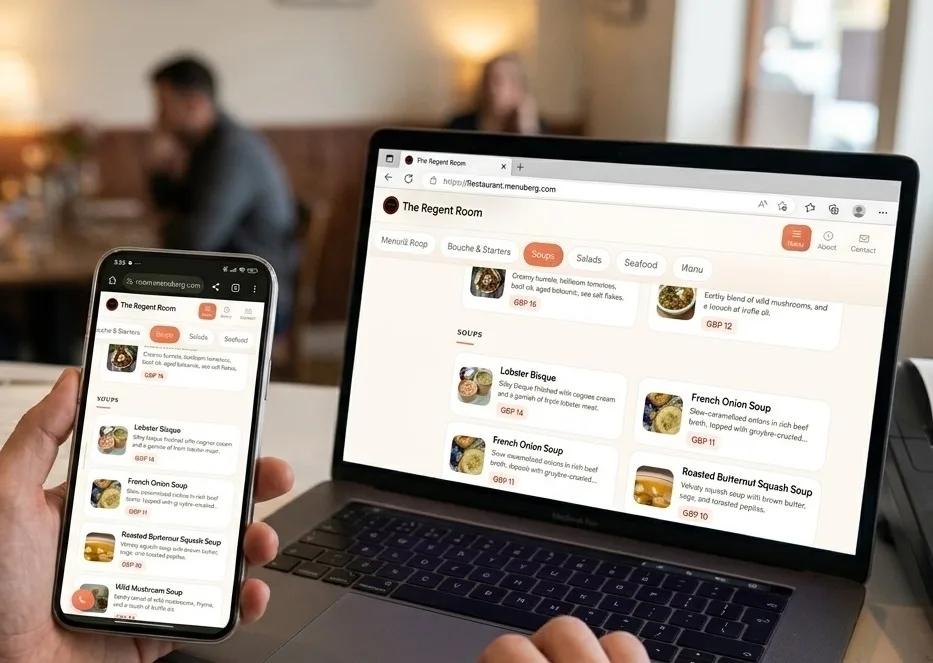
For example, Menuberg allows a restaurant to create its own website on a dedicated subdomain such as:
restaurant.menuberg.com
The restaurant gets its own web presence with pages for its menu, about information, and contact details, while the owner can manage the website without a technical team.
That's important because having a website isn't useful if keeping it updated is so difficult that you eventually stop updating it.
Step 5: Put Your Menu Online
This is one of the biggest opportunities restaurants overlook.
People search for food before they decide where to eat.
They might search:
"chicken biryani near me"
"vegan pizza downtown"
"steak restaurant menu"
"best burgers in Chicago"
Your menu gives customers—and search engines—valuable information about what you actually serve.
Restaurant Menu Design & Psychology: How Customers Choose What to Order
Google itself provides restaurants with menu functionality inside Business Profiles, including menu sections, dishes, descriptions, prices, photos, and a menu URL.
So don't hide your menu behind an image that is impossible to read on a phone.
Create a proper online menu.
Use clear categories.
Name dishes accurately.
Write useful descriptions.
Keep prices current.
And make sure the menu is easy to use on mobile.
Step 6: Keep Your Menu Updated
An outdated menu is worse than a missing menu.
Imagine a customer searches for your restaurant, finds your website, opens the menu, sees a dish they want, and then discovers that you stopped serving it six months ago.
You've just created a disappointing customer experience before they even walk through the door.
Restaurant menus change constantly.
Prices change.
Items sell out.
Seasonal dishes appear.
Some dishes disappear.
Your online menu needs to reflect reality.
Google even provides tools for restaurants to edit menu sections and individual dishes, and says menu changes can take 24–48 hours to appear in Search and Maps.
This is one reason a manageable website matters.
With Menuberg, restaurant owners can manage their own menu and enable or disable individual items without waiting for a developer.
If something is unavailable today, you should be able to turn it off yourself.
Step 7: Use the Words Your Customers Actually Search
Here's where restaurant SEO gets misunderstood.
You don't need to repeat:
best restaurant restaurant restaurant restaurant...
throughout your website.
That doesn't create a useful page.
Instead, think about how a real customer searches.
If you own a Mexican restaurant in Chicago, people might search for:
- Mexican restaurant in Chicago
- Mexican food near me
- tacos in Chicago
- best tacos near [neighborhood]
- Mexican restaurant [neighborhood]
- restaurant with outdoor seating
You don't need a separate page for every variation.
You need clear, natural language that explains what your restaurant is and where it operates.
For example:
We serve traditional Mexican dishes, fresh tacos, burritos, and house-made salsa from our restaurant in Logan Square, Chicago.
That's useful to a customer.
It also gives search engines meaningful context.
Step 8: Don't Stuff Keywords Into Your Website
This deserves its own warning.
Some restaurant owners hear about SEO and start adding the same phrase everywhere.
For example:
Best restaurant in Dallas | Best restaurant Dallas | Dallas best restaurant | best food Dallas | restaurant Dallas
That isn't good content.
Write for people first.
Google's guidance emphasizes creating helpful, reliable, people-first content rather than content primarily designed to manipulate search rankings.
Your website should sound like a restaurant—not like a search engine trying to rank itself.
Step 9: Get Genuine Customer Reviews
Reviews matter for two reasons.
First, customers care about them.
Second, Google says prominence can be influenced by information such as links from other websites and reviews, and that more reviews and positive ratings can help local ranking.
But there's an important distinction:
Don't buy fake reviews.
Don't create dozens of fake accounts.
Don't offer dishonest incentives.
Instead, make it easy for genuine customers to leave honest feedback.
After a good experience, you can politely ask:
"If you enjoyed your meal, we'd really appreciate an honest Google review."
That's enough.
And don't ignore negative reviews.
A thoughtful response can demonstrate that the restaurant actually pays attention to customers.
Google specifically recommends responding to reviews.
Step 10: Add High-Quality Restaurant Photos
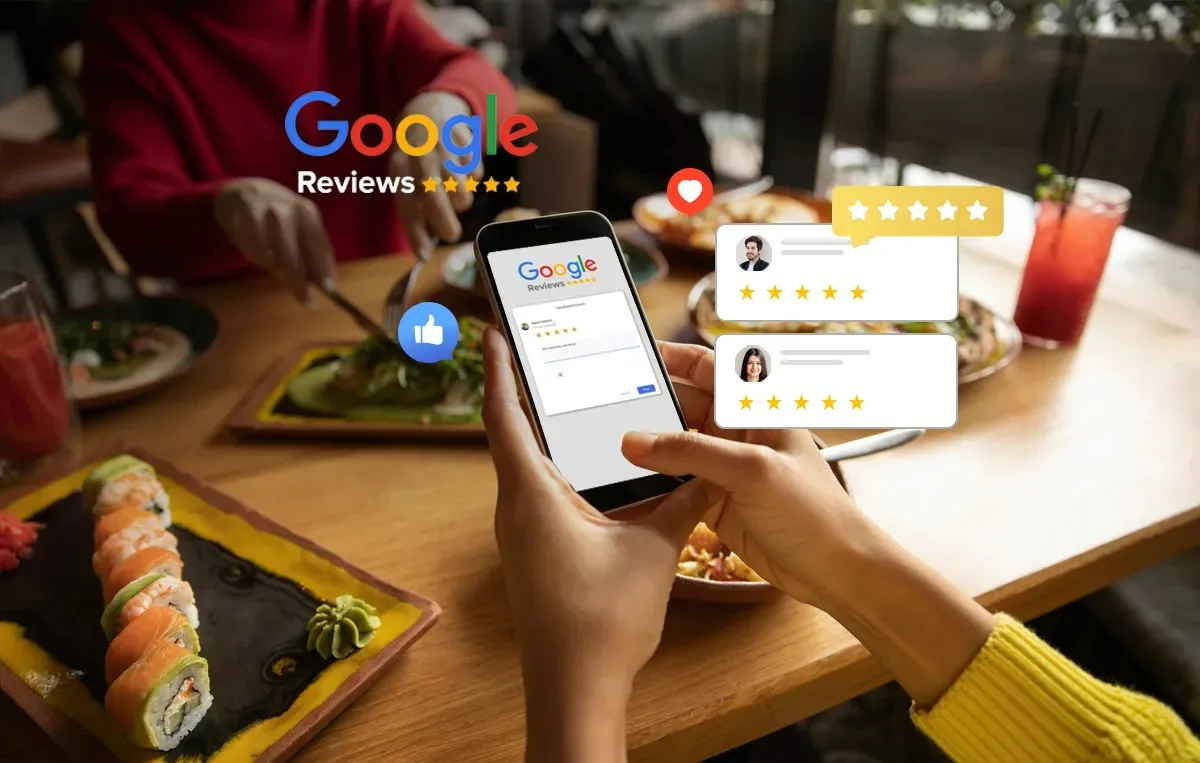
Would you rather visit a restaurant with 20 clear photographs of its food and atmosphere or one with a single blurry photograph from five years ago?
Photos help customers understand what they're choosing.
Add photographs of:
- Signature dishes
- Restaurant interior
- Exterior
- Dining area
- Food preparation
- Staff
- Popular dishes
- Atmosphere
Google specifically recommends restaurants add photos and videos showing the interior, exterior, and overall dining experience.
But don't upload random images simply to increase the number.
Quality and relevance matter more than creating a giant photo dump.
Step 11: Make Your Website Fast and Mobile-Friendly
Think about how people search for restaurants.
They're often using a phone.
They're walking.
They're sitting in a car.
They're deciding where to eat right now.
They don't want to wait for a giant website to load.
Your website should be:
- Mobile-friendly
- Easy to navigate
- Readable
- Fast
- Simple
- Easy to tap
Your menu should be particularly easy to use.
If customers have to zoom into a PDF, scroll sideways, or wait several seconds for images to load, you've created unnecessary friction.
Step 12: Make Your Location Impossible to Miss
Local SEO depends heavily on location.
Google's local ranking system includes distance as one of its primary factors.
Your website should clearly communicate where you are.
Include your:
- Full address
- City
- Neighborhood where useful
- Opening hours
- Contact details
- Location/map information
Don't assume Google will magically figure everything out.
Make the information obvious.
And keep your information consistent across your online presence.
Step 13: Connect Your Website to Your Google Business Profile
Your website and Google Business Profile should work together.
Your Google profile helps people discover you.
Your website gives them more information.
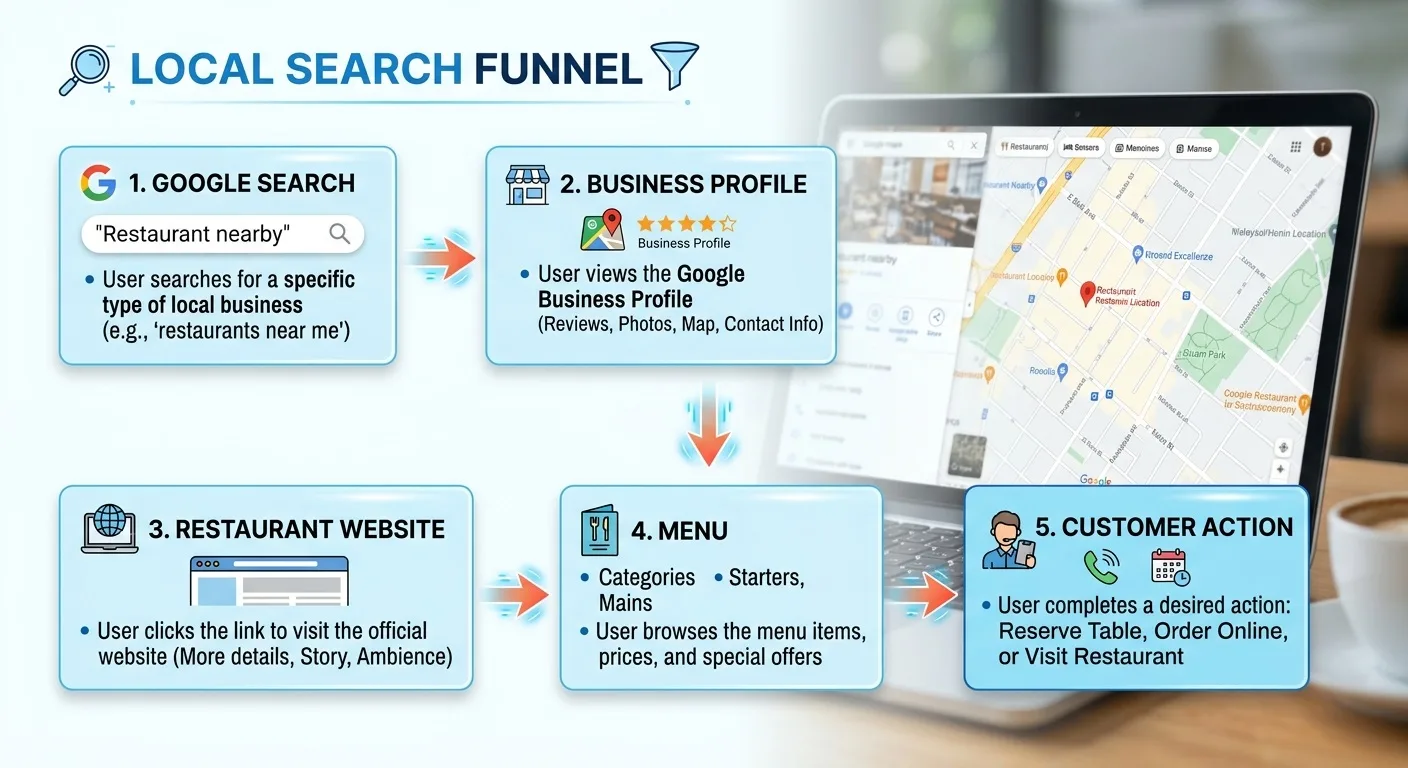
The customer journey can look like this:
Google search
↓
Google Business Profile
↓
Restaurant website
↓
Menu
↓
Call / visit / contact
That's a much stronger system than having an Instagram page sitting alone on the internet.
Google also allows businesses to provide their website through their Business Profile, helping customers move from Search or Maps to the business's own online presence.
Step 14: Don't Ignore Your Restaurant's Name and Information Elsewhere
Google doesn't rely on one single source of information.
Your restaurant may appear on:
- Maps
- Your website
- Social media
- Local directories
- Food platforms
- Review websites
- Local publications
Try to keep important information consistent.
If your restaurant is called:
Tony's Italian Kitchen
don't randomly call it:
Tony's Best Italian Kitchen Downtown Chicago Official
on another platform.
Keep the real-world business identity consistent.
The same principle applies to address, phone number, website, and opening hours.
Step 15: Create Useful Content Around Your Restaurant
This is where blogging enters the picture.
Your website shouldn't only exist for your restaurant's name.
Useful content can help you reach people before they've decided which restaurant to visit.
For example, a Mexican restaurant could create useful content about:
- Traditional Mexican dishes
- What different taco styles mean
- Mexican food for beginners
- Local food guides
- Ingredients used in Mexican cooking
- Questions customers commonly ask
The objective isn't to publish hundreds of random articles.
It's to answer questions your potential customers genuinely have.
This is exactly why a restaurant website can become more valuable over time.
You're not simply creating a digital business card.
You're building an online resource around your restaurant and its expertise.
Step 16: Track What Is Actually Happening
SEO isn't something you set once and forget.
You need to know whether your work is producing results.
Track things such as:
- Website visitors
- Search impressions
- Search queries
- Clicks
- Popular pages
- Menu views
- Phone clicks
- Traffic sources
Your Google Business Profile also provides performance information, including searches and menu interactions for restaurants.
The goal isn't to become obsessed with numbers.
It's to learn.
Maybe customers are finding you through searches for a specific dish.
Maybe your menu page gets far more traffic than your About page.
Maybe people find your restaurant through Google Maps but rarely visit your website.
Every piece of information can help you make a better decision.
How Long Does It Take for a Restaurant to Rank on Google?
This is where you need realistic expectations.
There is no guaranteed number of days.
A new restaurant doesn't publish a website on Monday and automatically appear at the top of Google on Tuesday.
Google says local rankings depend on factors including relevance, distance, and prominence, and it doesn't offer a way to pay for or request a better local ranking.
Google also notes that new Business Profiles can take up to a month to appear in search results in some cases.
So don't judge your SEO after three days.
Build the foundation.
Keep your information accurate.
Collect genuine reviews.
Improve your website.
Publish useful content.
Then monitor what happens.
SEO is an accumulation game.
What About Google Ads?
Google Ads and SEO aren't the same thing.
Ads can put your restaurant in paid placements when you're willing to pay for the traffic.
SEO focuses on earning visibility in Google's organic and local results.
For a small restaurant with a limited budget, that doesn't necessarily mean you have to choose one forever.
You can use advertising when you need immediate exposure while simultaneously building your organic presence.
The important thing is understanding what you're paying for.
Ads can buy visibility.
SEO builds an asset.
Your website, useful content, reviews, and online reputation can continue working after a particular advertising campaign ends.
The Biggest Restaurant SEO Mistake
The biggest mistake isn't having the wrong keyword.
It isn't having the wrong font.
It isn't even having a small website.
It's thinking that being online means being discoverable.
Creating an Instagram account doesn't guarantee customers will find you.
Creating a website doesn't guarantee Google will rank it.
Creating a Google Business Profile doesn't guarantee you'll appear first.
You need to build the complete system.
Accurate Google Business Profile
Professional restaurant website
Useful online menu
Genuine reviews
Quality photos
Consistent business information
Useful content
Time and continuous improvement
That's what creates a stronger local presence.
A Simple Restaurant SEO Checklist
If you're overwhelmed by all of this, start here.
This week
- Claim your Google Business Profile
- Verify it
- Choose the correct category
- Add your address and phone number
- Add accurate opening hours
- Add your website
- Add high-quality photos
- Add your menu
- Make sure your menu prices are current
Then
- Create a professional restaurant website
- Make it mobile-friendly
- Add your Menu, About, and Contact pages
- Make your location obvious
- Add clear calls to action
- Connect your website with Google
- Ask genuine customers for honest reviews
- Respond to reviews
- Install analytics
- Publish useful content regularly
Finally
Don't stop.
SEO isn't a one-time project.
Your restaurant changes.
Your menu changes.
Your customers change.
Your competitors change.
Google changes.
Your online presence should change with them.
Your Restaurant Doesn't Need to Be Famous to Be Found
You don't need to compete with McDonald's.
You don't need millions of followers.
You don't need a massive marketing department.
You need to become visible when the right person is looking for what you offer.
Someone searching for your type of food.
Someone searching in your neighborhood.
Someone searching for your restaurant by name.
Someone looking at your menu before deciding where to eat.
That's the real goal of restaurant SEO.
Not simply getting more website traffic.
Getting discovered by people who might actually become your customers.
And the foundation is surprisingly simple:
Make your restaurant easy for Google to understand.
Make your restaurant easy for customers to trust.
And make it incredibly easy for them to take the next step.
Your restaurant may already be better than the competitors appearing above you.
Now you need to make sure Google—and your potential customers—can see it.
Ready to build your restaurant's online presence?
Menuberg helps restaurants launch a professional website and QR digital menu in minutes — no coding required.
Create Your Restaurant WebsiteRelated Articles
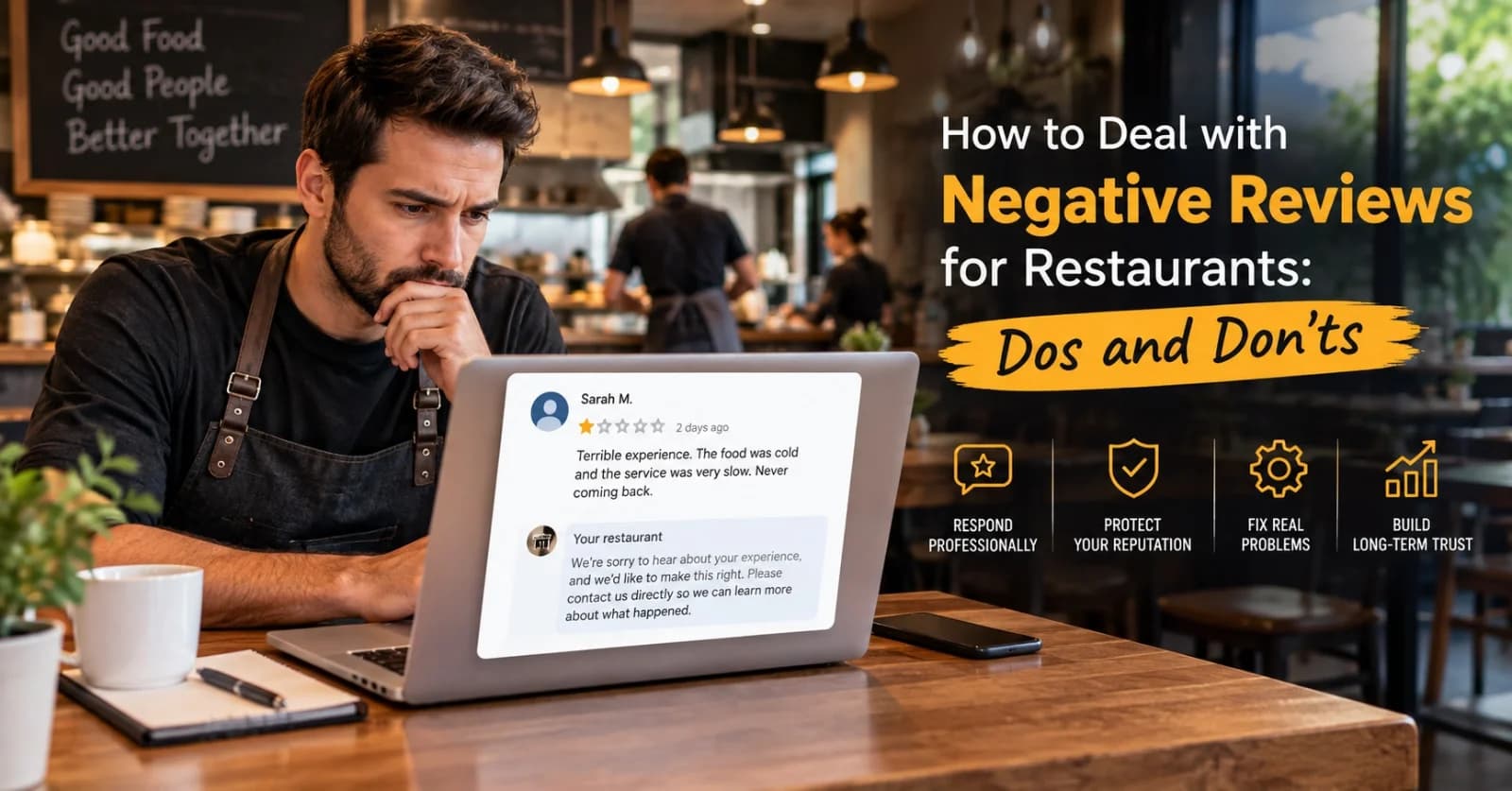
How to Handle Negative Restaurant Reviews: A Practical Dos and Don'ts Guide
A bad review doesn't have to hurt your restaurant's reputation — how you respond to it does more work than the review itself. Here's a clear, practical dos-and-don'ts approach.
6 Sept 2026 · 14 min read
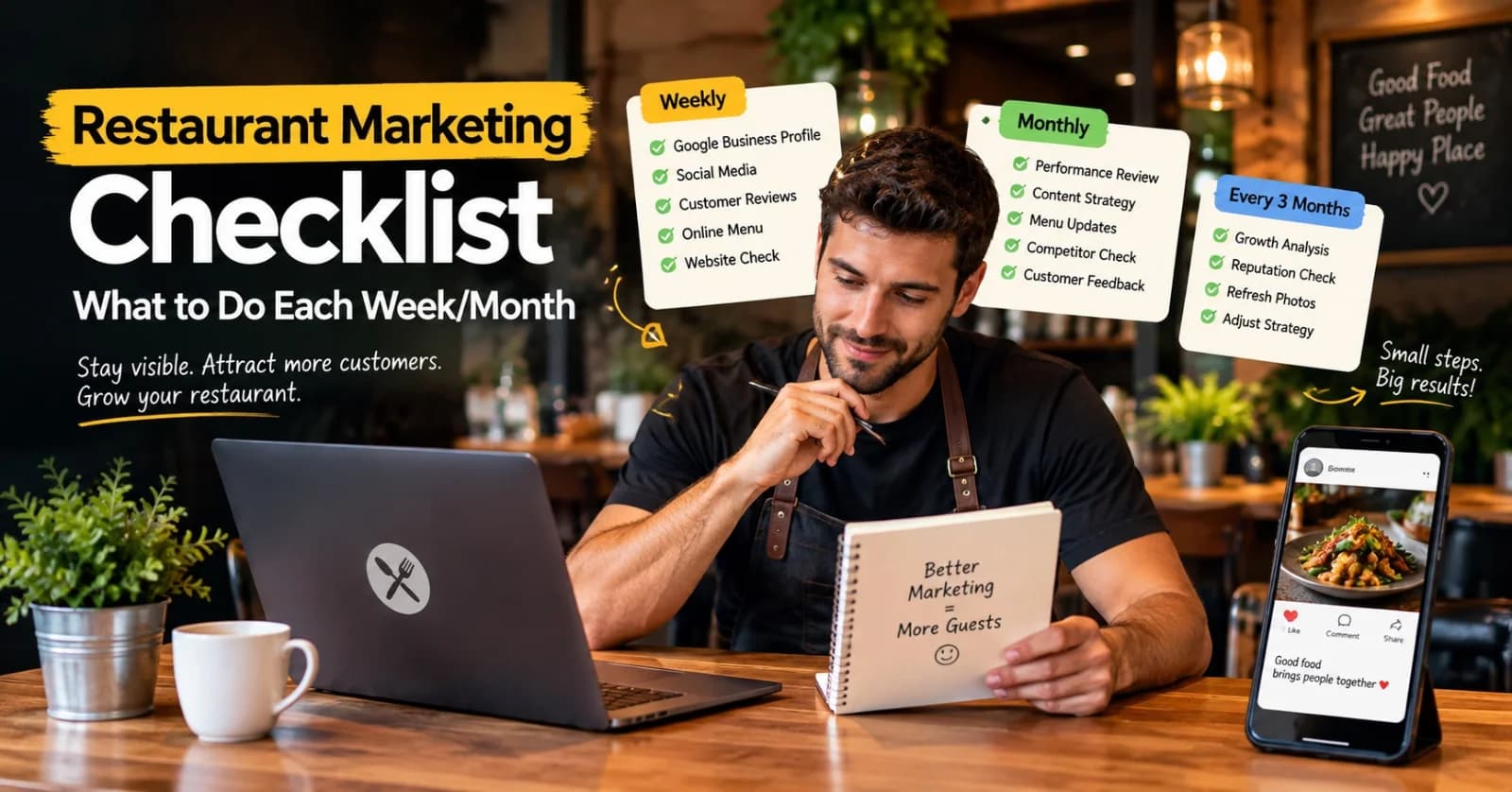
Restaurant Marketing Checklist: What to Do Every Week and Every Month
A realistic, no-burnout routine for restaurant marketing — what's worth checking weekly, reviewing monthly, and revisiting every few months, without turning it into a second job.
11 Sept 2026 · 13 min read
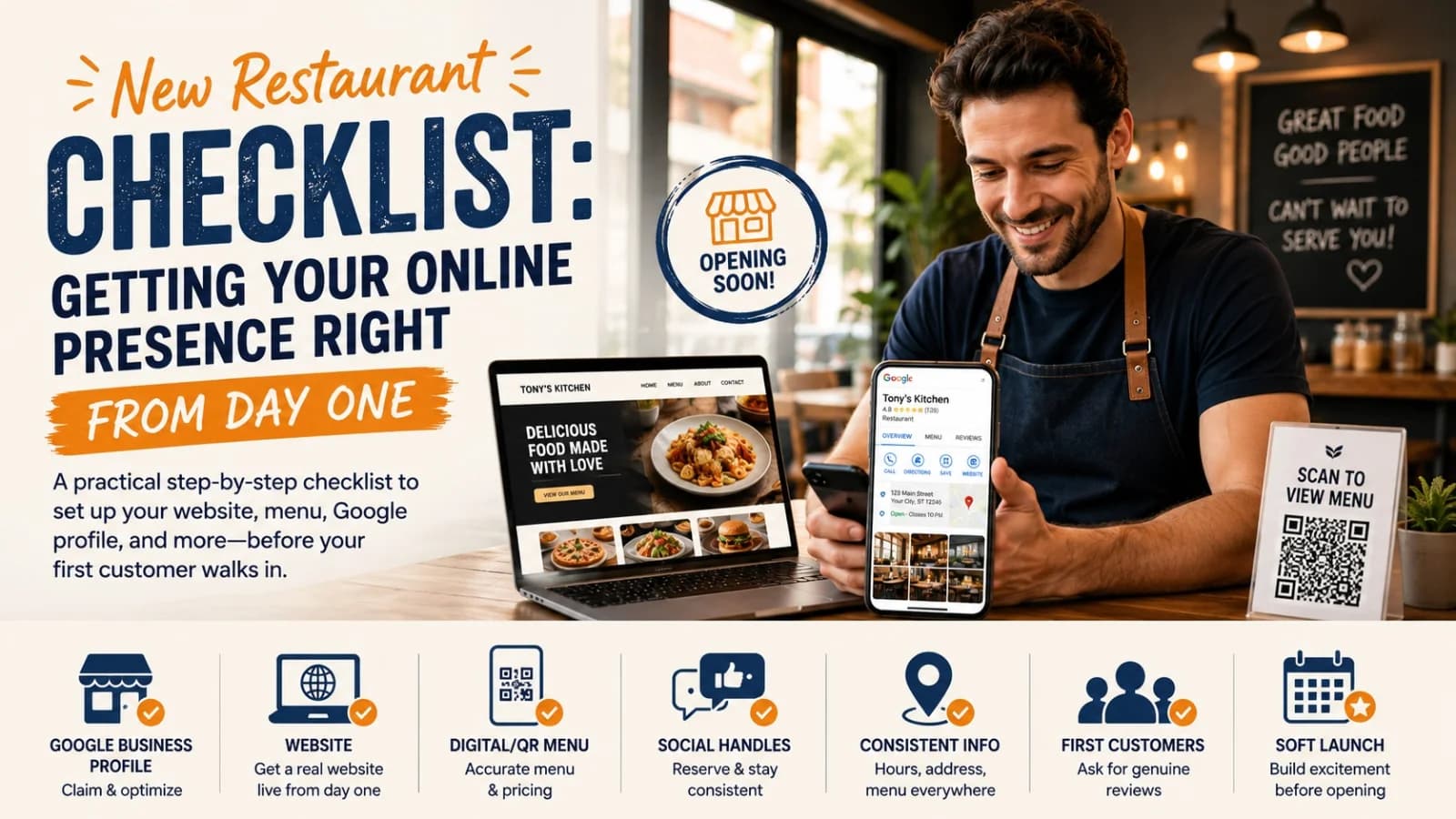
New Restaurant Checklist: Getting Your Online Presence Right From Day One
A practical, ordered checklist for getting your restaurant's website, Google profile, menu, and social presence right before, during, and after opening week — not scrambled together at the last minute.
3 Sept 2026 · 12 min read
About Menuberg
Menuberg helps restaurants create professional websites and digital storefronts without complicated setup. Learn more.